
The Best Screenshot API: 6 Providers Compared
A screenshot API turns a URL into an image with one HTTP call. You send the address, the service renders the page in a real browser, and you get back a PNG, JPEG, or PDF. Teams use them for link previews, visual monitoring, PDF reports, and archival records, because the alternative is running your own fleet of headless browsers and dealing with memory leaks, zombie Chrome processes, and constant version updates.
Whether to build that infrastructure yourself or rent it is a tradeoff. Running Puppeteer or Playwright in-house gives you full control and no per-render cost, but someone has to maintain it, scale it, and debug it when pages break. A managed API moves that burden to the vendor for a monthly fee. For most teams capturing screenshots at any volume, the managed route costs less than the engineering time it saves.
This article compares six options across capabilities, integration effort, and pricing: Screenshot Scout, Urlbox, Firecrawl, Screenshotlayer, Browserless, and Scrapfly. By the end you should know which one fits your use case.
Quick Overview
- Screenshot Scout: a dedicated screenshot API built around clean captures, with cookie-banner, ad, and chat-widget blocking built in and a free tier that covers real evaluation.
- Urlbox: a mature, accuracy-first screenshot API with deep capture options, strong handling of difficult pages, and enterprise-grade reliability features for compliance-heavy work.
- Firecrawl: a web-scraping platform where screenshots are one output format of its scrape endpoint, suited to teams that also want structured data from the same pages.
- Screenshotlayer: a lightweight, low-cost REST API for simple screenshot needs, with a minimal feature set and a small footprint.
- Browserless: browser infrastructure where screenshots are one task among many, suited to teams that want full browser control alongside captures.
- Scrapfly: a scraping platform whose Screenshot API specializes in protected pages, with scheduling, webhooks, and monitoring built in for production pipelines.
Each entry above gives you a one-line orientation. Each entry below covers what the provider is, what it does well, where it falls short, and what it costs. The sections that follow go deeper on every option, in the order shown here, so you can jump straight to the one that matches your shortlist. If a provider’s one-liner already rules it out for you, skip ahead.
What to Look for in a Screenshot API
Four dimensions separate these providers in practice.
Capture quality and flexibility covers the basics: viewport, full-page, and element capture, output formats, and device emulation. Nearly every provider handles these, so they rarely decide the choice on their own. What varies is how far the options go, from a handful of parameters to a full tree of sizing, timing, and emulation controls.
Handling of real-world mess matters more. Cookie banners, ads, chat widgets, lazy-loaded images, and bot-protected sites are where screenshots actually fail. Some APIs clean these up with a parameter; others leave you to script around them. A capture that works on a clean demo page can fail on the pages your users actually visit, so check how each provider handles the specific pages you plan to capture, especially pages behind bot protection.
Speed and reliability show up in your application’s latency and your users’ trust. A slow capture API limits what you can build with it, whether that’s inline previews or bulk pipelines. Look for published uptime and success-rate figures, and prefer vendors that make them easy to find. A provider that reports its own numbers at least gives you a baseline to hold it to.
Integration model and pricing determine your long-term cost. A plain REST call works from any language; an SDK ecosystem speeds up specific stacks; a full browser-control paradigm suits complex workflows. Pricing models range from simple monthly quotas to credit systems with multipliers, and the difference compounds at scale. A plan that looks cheap at your current volume can become expensive when usage grows, so model the cost at 10x your current volume before committing.
Screenshot Scout
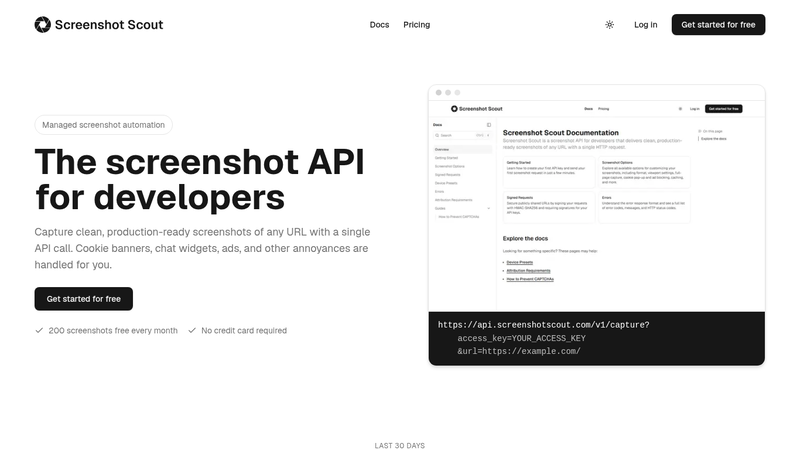
Screenshot Scout is a dedicated screenshot API: one endpoint, one HTTP request, and a screenshot comes back. It focuses on doing one thing well, which is producing clean captures of any URL without custom scripting.
Its strength is handling the mess that ruins screenshots. Cookie banners, ads, and chat widgets are each blocked with a single parameter, and combining ad blocking with banner blocking makes the banner algorithm more aggressive. Full-page captures scroll the page first to trigger lazy-loaded images and scripts, so the result matches what a real visitor sees. It also handles protected sites well by default, better than most dedicated APIs. Captures support viewport, full-page, element, and clipped-region modes, six output formats including PDF, device emulation with a large preset library, and post-capture resizing.
Integration is a plain GET or POST to a single endpoint. SDKs exist for seven ecosystems, plus an open-source CLI and an MCP server for AI agents, but none are required. The free plan includes 200 screenshots per month, and paid plans run $19 to $319 per month with quotas from 2,000 to 50,000. Only successful renders count against the quota, and cached repeat requests are free.
The limitations are operational. There’s no async mode, no webhooks, no scheduled captures, and no bulk endpoints, so high-volume pipelines need to build their own orchestration. Screenshot URLs expire after 4 hours unless you enable caching or external S3 storage.
Urlbox
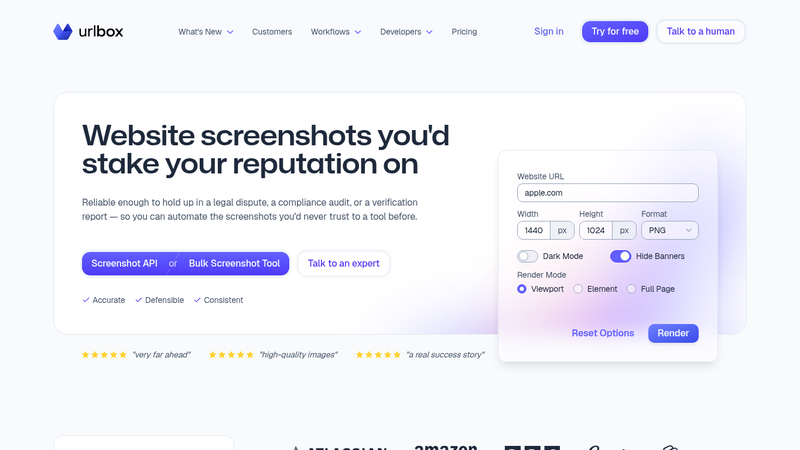
Urlbox has been a dedicated screenshot API since 2012, and it shows in the depth of the feature set. The company positions its renders as accurate enough for legal disputes and compliance audits.
The capture options are the deepest on this list. Three render modes cover viewport, full page, and element capture, and the full-page mode uses a proprietary stitching algorithm that scrolls, triggers lazy-loaded content, freezes fixed and sticky elements, and handles infinite-scroll pages. Output spans eleven formats including PNG, JPEG, WebP, AVIF, PDF, and MP4 video. Difficult pages are well covered: ad blocking, cookie-banner hiding or accepting, stealth proxies, captcha solving, and a retry system that can escalate options per attempt. Urlbox handles protected sites reasonably well.
Integration follows three paths: signed render links you can embed directly in an img tag, synchronous POST renders, and async renders with webhooks. SDKs cover six languages, and a CLI handles batch work from CSVs. Pricing runs from $19 per month for 2,000 renders to $3,000+ for enterprise, with a 7-day free trial. Failed renders are never billed.
The tradeoffs are cost and complexity. Advanced features like retry escalation, custom JavaScript injection, and managed proxies require the Ultra plan at $99 per month or above, and managed proxy renders multiply the per-request cost up to 50x. There’s no free plan, only the trial. The option surface is large enough that simpler use cases pay for capability they won’t touch.
Firecrawl
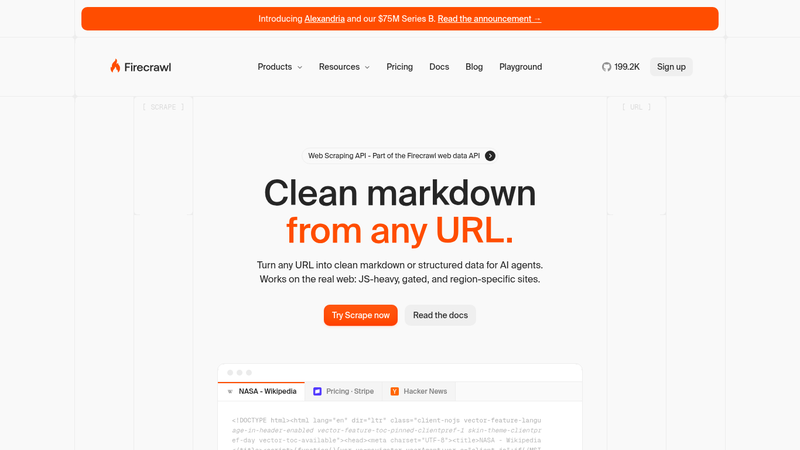
Firecrawl is a web-scraping platform for AI applications, and screenshots are one output format of its scrape endpoint. If your team needs markdown, structured data, and screenshots from the same pages, that combination is the draw.
The screenshot feature itself is basic. A scrape request with the screenshot format returns a hosted URL that expires after 24 hours, with full-page and viewport options, quality control, and a maximum resolution of 7680×4320. There’s no element capture, no GIF or video output, and no image resizing. The compensation is the surrounding platform: actions can scroll, click, and wait before capture, requests route through proxies by default across 27 countries, and ad and cookie-popup blocking are on by default. Firecrawl handles protected sites well through its default proxy routing and stealth options.
Integration is a POST endpoint with SDKs in ten languages, a CLI, and an MCP server for AI agents. The free tier includes 1,000 credits per month, and a screenshot costs the base 1 credit per page, so the free allowance stretches to roughly 1,000 captures. Paid plans run from $16 to $599 per month. Cached results still cost a credit, and pages that return an error status are billed.
The limitation is focus. Screenshots are a side feature of a scraping product: no element capture, no scheduled captures, and URLs that expire in a day mean you need to download and store images yourself. If screenshots are your primary need, a dedicated API gives you more control for the money.
Screenshotlayer
Screenshotlayer is a lightweight REST API operated by apilayer, part of a suite of APIs under one account. It does one thing: turn a URL into an image through a simple GET request.
The feature set is intentionally minimal. Viewport and full-page capture, PNG, JPEG, GIF, and WebP output, thumbnail scaling, Retina support on paid plans, and CSS injection. That’s the whole surface. There are no options for blocking ads or cookie banners, no element capture, no JavaScript injection, no proxy or geolocation options, and no handling for authenticated pages or bot-protected sites. A capture delay of up to 20 seconds is the only tool for waiting on dynamic content.
Integration is a URL-structured GET request with an access key, plus code examples for PHP, Ruby, and Python. Pricing is the appeal: a free plan with 100 snapshots per month, then $19.99 for 10,000 snapshots, with overage fees rather than hard cutoffs. Rate limits are low, starting at 2 requests per minute on the free plan and 45 on the top tier.
Choose Screenshotlayer only if your needs match its simplicity: public pages, basic captures, minimal budget. Anything involving banners, protected sites, or dynamic content will require workarounds it doesn’t support. For a small project that just needs a thumbnail of a homepage, those constraints don’t matter, and the price is hard to beat. The apilayer suite also means one account covers other APIs you might use.
Browserless
Browserless is browser infrastructure, not a screenshot API. Its screenshot endpoint is one of several REST APIs that run browser tasks, alongside PDF generation, HTML rendering, and structured scraping, and you can also connect with Puppeteer or Playwright over WebSocket for full control.
The screenshot endpoint accepts standard Puppeteer-style options: PNG, JPEG, or WebP output, full-page and element capture, clip regions, viewport control, and script and style injection. Lazy-loaded content is handled with a scrollPage flag. Where Browserless stands apart is difficult pages: a documented escalation ladder for bot protection runs from stealth mode through a dedicated unblock endpoint to CAPTCHA solving, with residential proxies built in. It handles protected sites well when you follow that ladder.
Integration is a POST with a JSON body, with examples in cURL, JavaScript, and Python. Pricing is unit-based: one unit per 30 seconds of browser time, with proxy traffic and CAPTCHA solves billed on top. The free plan includes 1,000 units per month, and paid plans run $25 to $350 per month. A screenshot request that finishes in under 30 seconds costs one unit, so the free allowance covers a meaningful number of captures.
The unit-based pricing is the main caveat. Screenshot-heavy workloads interleave with other browser tasks on the same unit pool, and proxy traffic at 6 units per MB adds up quickly on residential IPs. The platform’s power is wasted if you only ever take simple screenshots.
Scrapfly
Scrapfly’s Screenshot API is part of a scraping platform whose specialty is protected pages. Its unblocker engine handles Cloudflare, DataDome, Akamai, and other bot-protection systems server-side, and the Screenshot API enables it with a single parameter.
Capture options cover viewport, full page, vertical sections, and element capture by CSS selector or XPath, with JPG, PNG, WebP, and GIF output. Banner and ad blocking is a one-flag option, custom CSS and JavaScript injection are supported, and there’s a distinctive extra: vision-deficiency simulation for accessibility compliance work. Delivery is where Scrapfly differs from the dedicated APIs: webhooks, scheduled captures with cron expressions, and a monitoring API. Failed captures never consume credits.
Integration is GET-based with SDKs in five languages, no-code integrations with Zapier, Make, and n8n, and a hosted MCP server. Pricing is credit-based: each screenshot costs 60 credits, and plans run from $30 per month with 200,000 credits (about 3,333 screenshots) to $500 per month. The free tier’s 1,000 signup credits cover roughly 16 screenshots.
The cost per screenshot is the limitation. At 60 credits each, screenshots are 12x the cost of a plain scrape on the same platform, and the free allowance is too small to do much with. The image pipeline also captures JPEG natively and re-encodes PNG from it, so PNG output is a lossless container around a lossy capture. For plain public pages, you’re paying for unblocking power you may not use.
Which Screenshot API Should You Choose?
For most screenshot use cases, Screenshot Scout is the strongest fit: clean captures with minimal configuration, a simple integration, and a free tier large enough for real evaluation. Urlbox is the choice when capture accuracy is business-critical and budget allows, and its reliability features suit compliance and archival workflows. If your targets are heavily protected pages, Scrapfly earns its premium, and Browserless suits teams that need full browser control beyond screenshots. Firecrawl fits teams capturing screenshots alongside structured data for AI pipelines, and Screenshotlayer works for simple, low-volume captures of public pages.
The dedicated APIs (Screenshot Scout, Urlbox, Screenshotlayer) optimize for the screenshot job itself: simpler pricing, cleaner defaults, less to learn. The platform players (Firecrawl, Browserless, Scrapfly) bundle screenshots into broader capability, which pays off when your workflow needs the rest of the platform and costs you when it doesn’t.
Start with the free tier of your top candidate, run it against the pages you actually need to capture, and check the two things that matter: whether the output is clean without scripting, and whether the pricing model stays predictable at your volume. A short evaluation against your real pages tells you more than any comparison article can, and every provider here has a way to try it before paying.


