Web Apps vs Mobile Apps: Which Should Your Business Build First?
Many businesses face one key question early on. Should they build a web app or a mobile app first? This decision affects cost, time and user reach. Most crucially, it impacts your firm’s growth.
A comparison of web apps vs.mobile apps is thus essential. You must know that each option has its unique plus and minus points. The best choice for you is not what other businesses have opted for. Only three things can help you make a good decision. These are:
- Your firm’s goals
- Your firm’s users
- Your firm’s budget.
Keep reading as we dive deep into the differences between the two software.
What is a Web App?
A web app is a software application. It works inside an internet browser. It means that you don’t need to install it on any device. A URL of the app is all you require to begin its usage. A web app can operate on any device, provided there’s a browser in there. Devices like desktops, phones, etc. have a browser. A web app can fluidly run in them.
Examples of web apps are:
- Google Docs. It runs directly in a browser
- Amazon website. People can here shop without installing anything
- Online banking portals
What is a Mobile App?
A mobile app is a software that you install on your device. This app is made for a specific platform. This is usually iOS or Android. Mobile apps are downloaded from app stores. They can also use device features. For example, the app can use your phone’s camera, GPS, etc..
Examples of mobile apps include:
- WhatsApp for messaging
- Instagram for social media
- Uber for booking rides
Key Differences in Access, Devices, and Installation
To best decide between web apps vs mobile apps, you must know how users interact with them.
Access method
- Web apps open in a browser through a link
- Mobile apps open through an installed app icon
Installation
- Web apps do not require installation
- Mobile apps must be downloaded and installed
Device compatibility
- Web apps work across all devices with browsers
- Mobile apps are built for specific platforms like Android or iOS
Updates
- Web apps update automatically on the server
- Mobile apps require users to update through app stores
Comparing Web App vs Mobile App
| Feature | Web App | Mobile App |
| Access | Via browser | Via installed app |
| Installation | Not required | Required |
| Device support | Works on all devices | Platform-specific |
| Development cost | Lower | Higher |
| Performance | Moderate | High |
| Offline access | Limited | Strong |
| User experience | Simple and consistent | Rich and interactive |
Why the Choice Matters for Your Business
Choosing between the two impacts your firm’s growth, cost and user experience. The sections below will explain this in more detail.
Impact on User Experience, Scalability, and Costs
Mobile devices generate over half of global site traffic. But despite their high usage, many people still use web apps. This is because it gives them quick access to the app. That’s why, many firms introduce their service first with web apps.
User Experience
- Mobile apps offer faster performance and smoother interactions
- Web apps are easier to access. But they may feel less responsive
Scalability
- Web apps scale faster. This is because they run on browsers
- Mobile apps require updates across platforms. This takes more effort
Cost
- Web apps cost less to build and maintain
- Mobile apps cost. The higher cost arises due to platform-specific development
Effect on Brand Presence and Customer Reach
Application development companies generally suggest starting with a web app to young firms. This is because at this stage, their goal is to reach more customers. Mobile apps are more suitable if the focus is engagement and retention.
Here is how each option performs:
Web Apps
- Easier to share through links
- Accessible instantly without download
- Better for reaching new users quickly
Mobile Apps
- Stronger brand presence through app icons
- Better user retention due to push notifications
- More control over user experience
Not sure web or mobile app?
Pros and Cons of Web Apps
Advantages of Web Apps
Web apps offer several benefits, especially for early-stage products.
Easy To Maintain And Update
- Updates happen on the server
- Users always see the latest version without manual updates
Works On Multiple Devices With a Single Codebase
- One version works across mobile, tablet, and desktop
- No need to build separate apps for Android and iOS
Lower Development Cost
- Fewer resources are needed compared to mobile apps
- Application development companies usually recommend web apps for startups
Faster Time To Market
- Development cycles are shorter
- Changes can be deployed quickly
Seo Advantages
- Web apps can be indexed by search engines
- Since web apps are searchable, they help businesses attract new users without paid ads.
Limitations of Web Apps
Web apps also come with some drawbacks. These are the main limitations:
Limited Offline Access
- Most web apps need an internet connection
- Some features may not work offline
Restricted Access To Device Features
- Access to camera or GPS is limited compared to mobile apps
- Advanced features may not work smoothly
Performance Limitations
- Web apps depend on browser performance
- They may feel slower than mobile apps
Lower User Engagement
- No direct push notifications in many cases
- Users may not return as often
Pros and Cons of Mobile Apps
Advantages of Mobile Apps
Mobile apps provide a more advanced user experience. Here are the key advantages:
Strong User Engagement and Retention
- Users interact more with installed apps
- Push notifications bring users back regularly
Access to Device Features
- Apps can use camera, GPS, microphone, and sensors
- This enables advanced features like tracking and real-time updates
Offline Capabilities
- Many features work without internet
- Users can continue tasks even with poor connectivity
High Performance
- Apps run directly on the device
- They are faster and smoother than web apps
Limitations of Mobile Apps
Mobile apps also have challenges. Below are their major ones.:
Higher Development Cost
- Separate development is needed for Android and iOS
- This increases time and cost
Ongoing Maintenance
- Regular updates are required for each platform
- Bug fixes must be released through app stores
Platform Restrictions
- Apps must follow app store guidelines
- Approval processes can delay releases
Installation Barrier
- Users must download the app before using it
- Some users may drop off at this step
Cost and Development Timeline Comparison
Cost and time helps you plan better and avoid delays.
Average Cost Comparison: Web App vs Mobile App
| Factor | Web App | Mobile App |
| Initial development cost | Lower | Higher |
| Platform requirement | Single codebase | Separate for android and iOS |
| Maintenance cost | Lower | Higher |
| Update cost | Minimal | Recurring |
| Testing effort | Moderate | High |
Most app development projects typically fall between $10,000 and $49,999. This depends on features and complexity.
Time to Market Considerations
Time to market means how quickly you can launch your product.
Web Apps
- Faster to build due to a single codebase
- Easier to test and deploy
- Updates can be pushed instantly
Mobile Apps
- Longer development cycles
- App store approvals can delay launch
- Updates take time to reach users
Choosing the Right Development Approach
When a Web App Makes Sense
A web app is a good choice in the following situations:
- You want to launch quickly with a limited budget
- Your target audience uses multiple devices
- Your product does not need deep device integration
- You want to focus on seo and organic traffic
When a Mobile App is Better
A mobile app is the right choice in these cases:
- Your users interact with the app frequently
- Your app needs features like gps, camera, or notifications
- You want strong user retention and engagement
- Performance and speed are critical
Hybrid and Progressive Web App (PWA) Options
Many businesses now choose a middle path. This helps balance cost and performance.
Here are two common options:
Hybrid Apps
- Built using a single codebase for multiple platforms
- Tools like react native and flutter are widely used
- Faster to build than native apps
Progressive Web Apps (PWA)
- Web apps with app-like features
- Can work offline and send notifications
- No need for app store installation
Google Developers say that PWAs allow much faster updates compared to mobile apps. Updates happen automatically in the background. So, users are less likely to run outdated versions of the product.
Decision Checklist for Businesses
Before choosing between web app vs mobile app, review the following points:
- What is your budget and timeline?
- How often will users interact with your product?
- Do you need device features like gps or camera?
- Is fast launch more important than deep functionality?
- Do you want to focus on reach or engagement?
If your answers focus on speed, reach, and cost, a web app is the better choice. If your answers focus on performance, engagement, and features, a mobile app is more suitable.
Common Tools and Technologies for Web and Mobile App Development
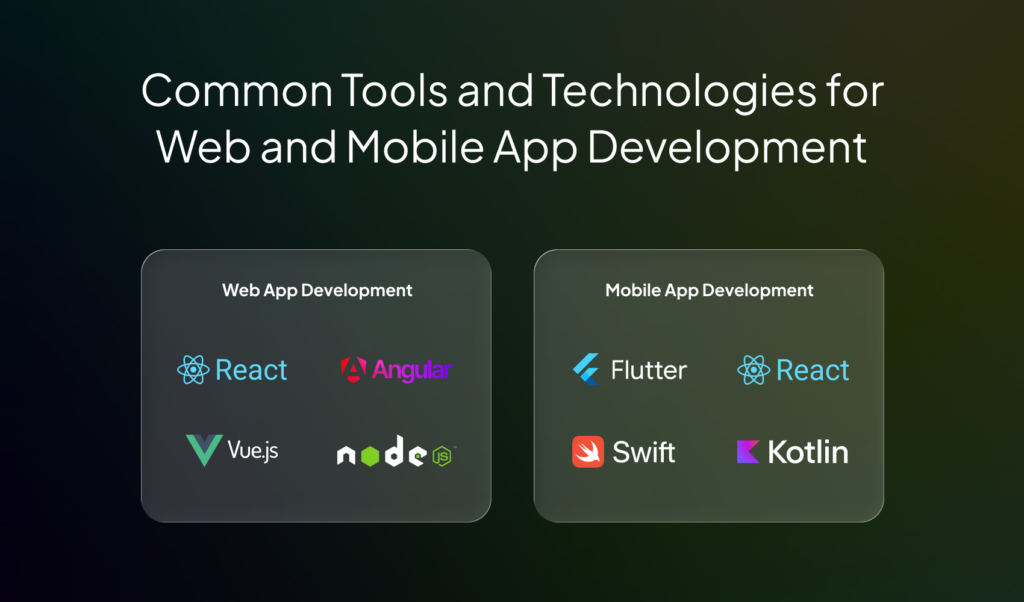
The tools you choose affect how fast you build. They also impact your app’s performance.
Web App Development Tools and Frameworks
Web apps are built using modern frameworks that improve speed and flexibility. Here are some commonly used tools:
React
- Used for building interactive user interfaces
- Supported by a large developer community
Angular
- Maintained by google
- Suitable for large and complex applications
Vue
- Simple and easy to learn
- Ideal for small to medium projects
Backend tools
- node.js for server-side development
- django for secure and scalable applications
Mobile App Development Tools and Frameworks
Mobile apps require platform-specific or cross-platform tools. The tools below are widely used by application development companies to balance performance and cost.
Flutter
- Developed by google
- Allows one codebase for android and ios
React native
- Uses javascript and react concepts
- Faster development compared to native apps
Swift
- Used for ios app development
- Offers high performance and security
Kotlin
- Used for android development
- Modern and fully supported by google
Comparison of Ease of Use, Cost, and Scalability
| Factor | Web App Tools | Mobile App Tools |
| Ease of use | Easier for beginners | Moderate to complex |
| Development cost | Lower | Higher |
| Scalability | High with cloud support | High but platform-dependent |
| Development speed | Faster | Slower for native, faster for cross-platform |
| Maintenance | Simpler | More complex |
Future Trends to Consider
Technology is evolving fast. These trends are shaping how businesses approach web app vs mobile app decisions.
Progressive Web Apps (PWAs)
PWAs combine the strengths of web and mobile apps. They are swiftly becoming important because:
- They work in browsers but feel like apps
- They support offline access and push notifications
- They update automatically without user action
AI-Powered Features
Artificial intelligence is now a key part of modern applications. Here are common use cases:
- Chatbots for customer support
- Recommendation engines for personalization
- Predictive analytics for user behavior
AI features can be added to both web and mobile apps. But mobile apps often provide more real-time and personalized experiences.
AR and VR Integration
Augmented reality and virtual reality are growing in many industries. They are extensively used in:
- ecommerce for virtual product trials
- Real estate for virtual tours
- Gaming and entertainment
Mobile apps currently support AR and VR better. This is due to device hardware like cameras and sensors.
Offline-First Applications
Offline-first design is becoming more important, especially in areas with unstable internet. These applications:
- Work even without internet
- Data syncs when the connection returns
- Users get a smooth experience in all conditions
PWAs and mobile apps both support this trend. However, mobile apps still offer stronger offline capabilities.
Conclusion and Next Steps
Choosing between web app vs mobile app depends on your goals, users, and budget. Web apps help you launch fast and reach more people. Mobile apps give better performance and stronger engagement. Both have clear benefits and limits. The right choice depends on what your business needs right now and how you plan to grow.
Take time to review your priorities. Think about cost, user behavior, and long-term goals. Start simple if needed, and scale later with the right tools and strategy. If you need expert guidance, partner with us at Imenso Software. We help businesses choose the right approach and build scalable solutions using the best application development tools. Let’s work together to plan your next move.
Have an app idea? Let’s build the right solution


Similar Posts

AI in Software Development: Exploring Opportunities & Challenges
Are you ready to revolutionize your software development process, but finding yourself entangled in a web of questions? Wondering how AI in Software Development could truly transform your software endeavors? Fear not, for you’re about to embark on a journey that not only answers your queries but unveils a world of boundless possibilities. In the […]...

AI in Data Analytics: Transforming Decision-Making
Have you ever stopped to wonder just how much data is generated every single day? It’s an astronomical figure—over 2.5 quintillion bytes! Yes, you read that correctly. From social media posts to online transactions, from sensor readings to digital photos, the digital universe is expanding at an exponential rate, inundating organizations with a tsunami of […]...

Key SaaS Trends 2025: Learn About The Future of The Industry
The global SaaS market is likely to reach over $250 billion by 2025, whereas it has been recorded as $195 billion in 2023. Why? Businesses everywhere are embracing more SaaS solutions than ever. These applications are transforming work processes, increasing productivity, and promoting innovation. No more the technological revolution; it’s the way of doing business […]...